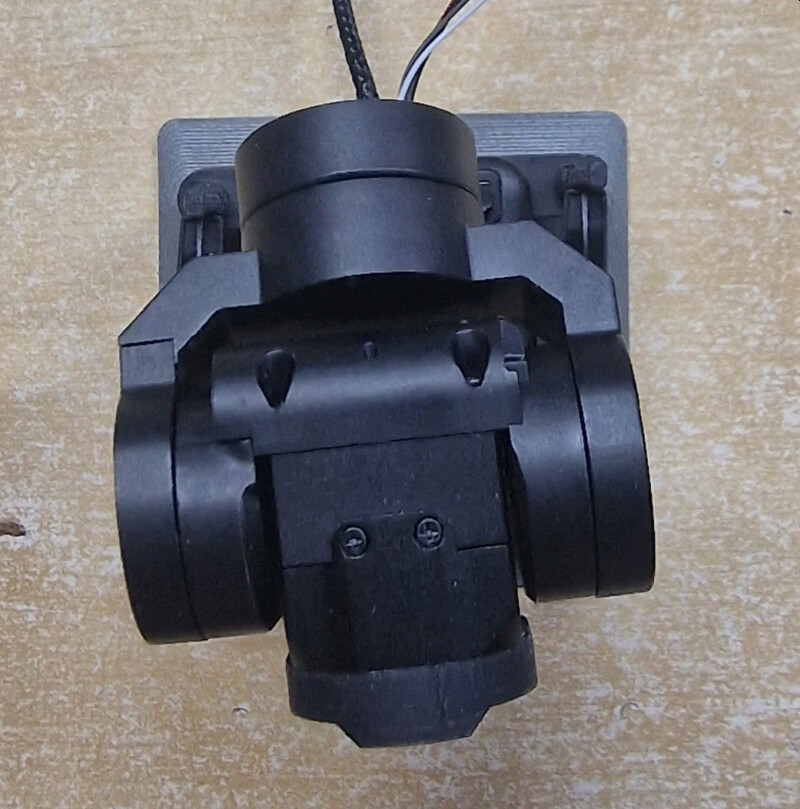
Recently I bought Caddx GM3 V2 gimbal, which is slightly different than V1 and noticed there is a strange yaw offset. From caddx support mail exchange looks like there is no option in gimbal itself to correct this offset.
Last hope in AP - is there a way to actually set gimbal offsets so AP knows it’s correct orientation?
EDIT: Caddx sent me a test firmware (2.2.51) that allows to fix this issue, but did recommend not sharing it. So I guess next official (current official is 2.2.44) release will have this fix procedure in it.
BTW I was setting up my own XFRobot C20-T yesterday and found that our XFRobot wiki seems to be incorrect. It seems like an XFRobot C20-T needs to use AP’s CADDX driver rather than the XFRobot one. This surprised me because I thought I’d tested this before when I wrote the wiki but maybe not.
Yes, seems C20-T from XFRobot and Caddx GM3 is exactly same thing. Same with C20-D and GM2.
I do not have it, but XFRobot makes other gimbals (not made for/with caddx) and they probably need XFRobot driver described.
I did not test that, but they declare with 3.8 firmware it also supports mavlink.
What concerns GM3 V2 - this seems to be caddx, at least I did not see equivalent from XFRobot. Different firmware, different configuration app. And probably some bugs in it.
Not sure how it would be implemented in official release but with test version they send me procedure is to… push gimbal by finger into desired zero point, and do “pos calibration”. I checked that on latest official firmware but works only on test version.
I was hoping for quick tests, designed and 3d printed mount for my quad with currently GM2, and… surprise… 30cm MIPI cable is not enough anymore as it requires more of it inside gimbal. Also never seen anything above 300mm for dji o4 cam I use.
Probably they will do this on production later, and my issue was just an early version thing.
This is how it looked like originally out of the box with 0deg yaw: