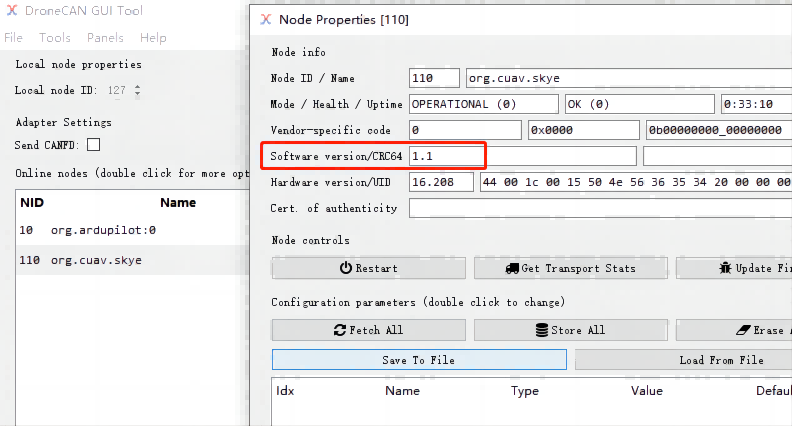
Have you updated the new firmware? If not, please check the previous message to upgrade skye firmware.
V1.1.0? Yes, we updated a long time ago
Hi, i experienced also problem with CUAV airspeed sensor. I did connect it to gui tool through CAN scanner device and not seeing airspeed sensor there, then i clicked on enable node 127 button - sensor is totally stucked. I tried external power supply 12-15v - no matter. Is there a chance i got bad firmwared sensor, which stucked by any uavcan message?
Hi @cuav_le
I use SKYE 2, after update maintenance mode appeared and the air sensor does not start, I can not even read the parameters and the state of the air sensor does not show signs of life.
I did the update in two ways, both through the Mission Planner and through the DroneCAN GUI tools.
Please tell me if it is possible to somehow restore the operation of the Air sensor?
Do you have a skye2 or skye? Where did you get the firmware from? It could be that the wrong firmware was loaded. It can only be revived by reloading it with STLINK.
Hi @cuav_le
We use skye2.
I got firmware from Index of /skye/ ( cuav-skye-firmware-1.1.0.bin 15-May-2023 02:33 66K ) Also we see massage “Bad APP”
It’s great that there is hope to save the skye2.
Could you please provide a short instruction (SW, pin, connection, step by step) on how to do this via STLINK, I don’t want to have problems again after the updated firmware
Also maybe available new firmware 1.2. etc, it will be useful too
Hello,
I am interested in integrating the SKYE2 to Pixhawk into a small UAV. I have two questions:
First, assuming I do not need the pitot heating and I disable that function, is it possible to supply a voltage lower than specified – 12VDC?
Second, can I interface directly the CAN BUS socket of the unit without using the HV HUB board?
Thank you.
hi
have you managed to upgrade FW?
i have same issue - in maintenance
thanks
Hi
Unfortunately, I still haven’t been able to solve the problem with the maintenance mode.
And the manufacturer didn’t provide any additional explanation on how to fix it, maybe this problem is deeper than the manufacturer expected and there is no solution at the moment.
So unfortunately my Skye2 is lying on the shelf in a non-working state. Advice for the future: don’t try to update the firmware, it is breaking the Skye2. I hope this will be solved in the future because this sensor looks nice
Hi, I’m sorry I’ve been busy with new products and have been away for a long time. The SkyE2 doesn’t require a firmware upgrade, and no new firmware has been released yet; please don’t upgrade it. Note that the SKYE is not the SKYE2. The first version of the firmware released by SKYE had a bug (this was the first Airspeed with heating, and it can be fixed through a firmware update), so we released a fix. The SKYE2 is stable and excellent enough (this is the second-generation product, it doesn’t require a firmware update); if a newer firmware is released later, it can be updated through the GUI software. Your problem is probably that the SKYE firmware was mistakenly written to the SKYE2; it can only be restored through a factory flash. we will contact you and provide you with a new SkyE2.
It uses a 12V DC-DC converter internally, and the controller cannot provide power for it.
@bilbi You can download the SKYE2 firmware from this link and update it.http://doc.cuav.net/others/skye/en/firmware.html

