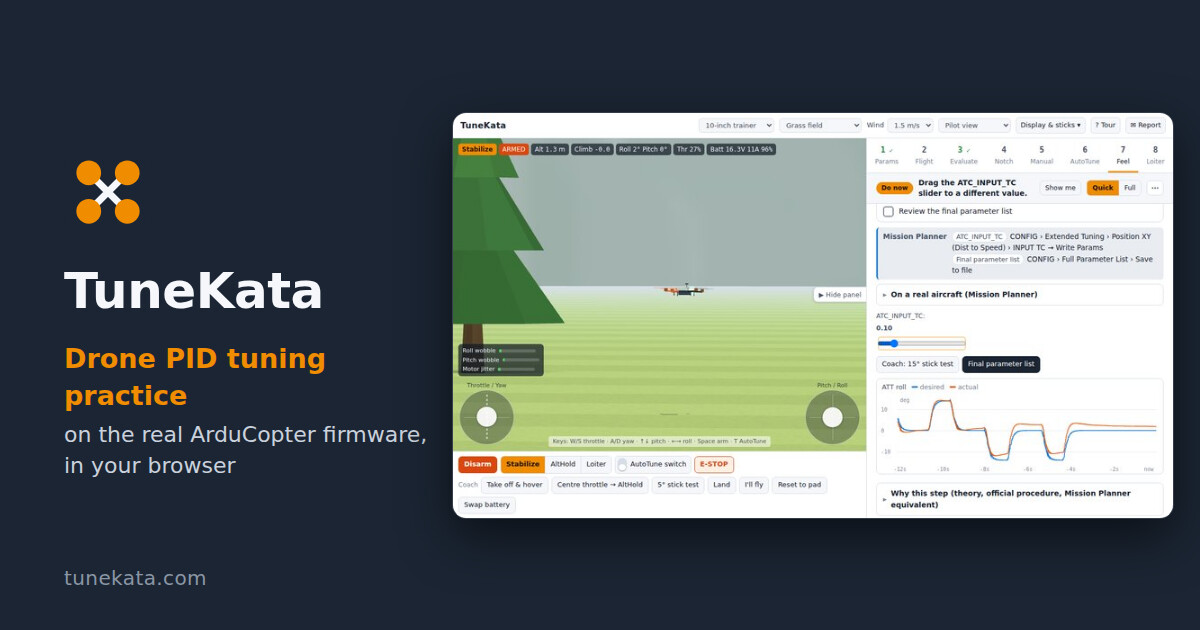
Hi all. I am Wei-Che from Taiwan (PeterRyan here on the forum). Over the last few months I built TuneKata, a browser-based trainer for the ArduCopter tuning procedure, and Randy kindly suggested I post about it here. It went public today: TuneKata | Drone PID tuning practice on the real ArduCopter firmware, in your browser

**What it is**
TuneKata runs the real, unmodified ArduCopter firmware in your browser, flying a simulated multirotor, and wraps the official tuning guide into an eight-step course. Every step has tasks that check themselves against the firmware state: parameters, mode changes, AutoTune progress, the saved gains and so on.
The eight steps follow the order of the tuning documentation:
1. Set up parameters: starting values for filters, thrust curve and battery from prop size and cell count.
2. First flight and hover learning.
3. Stick evaluation: 5° stick tests to judge oscillation and sluggishness.
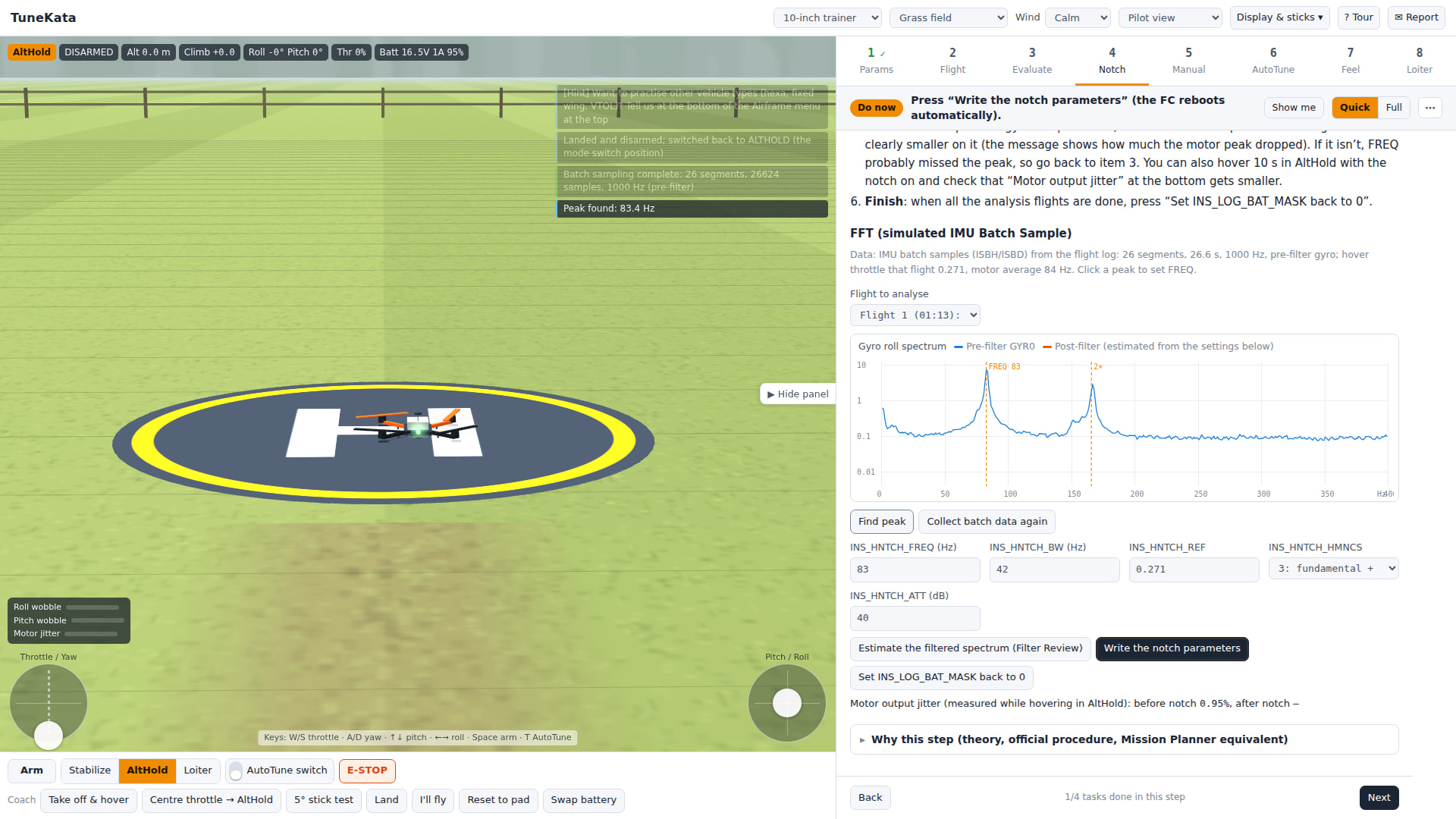
4. Notch filters: FFT of IMU batch samples, find the prop vibration frequency, set the harmonic notch.
5. Manual tuning / QuikTune: the official Lua script finds the P and D limits.
6. AutoTune: the real procedure, the switch, the progress messages, saving the gains.
7. Feel: the input shaping time constant.
8. Loiter and position control: hold error and braking distance after stick release.
You fly with a gamepad or your own transmitter as a USB joystick. Nothing to install; the firmware (about 4 MB) downloads on the first visit. The parameters are the real ones, shown the way Mission Planner shows them. Each step also links to an illustrated Mission Planner guide, screenshot by screenshot, for doing the same on a real aircraft.
**What it is not**
- It is not a digital twin. The simulated aircraft is a generic multirotor that behaves like one so that the procedure makes sense, not a model of any particular aircraft. The course says, on every step, that values tuned here are for the simulated aircraft only and must not be copied to a real one, not even as a starting point.
- Where I know it differs from reality, the course says so.
- TuneKata is not affiliated with or endorsed by the ArduPilot project. The name is used with the dev team’s agreement and the logo with their permission (thank you Randy). The GPLv3 licence text, a link to the corresponding source, the build script and the compiler version are on the licence page: Licences and source code · TuneKata
**Trying it**
Steps 1 and 2 are free for everyone, with no time limit. New accounts get a 7-day trial of the whole course; after that it is US$14.99 a month or US$119 a year (local currency at checkout). Until 26 November the code EARLYBIRD takes 10% off the yearly plan.
I am one person doing this in my spare time, so corrections are the most valuable thing you can give me. If a step contradicts the documentation or the firmware’s behaviour, please tell me here, with the “Report” button in the app, or at support@tunekata.com. People who catch real mistakes get two extra weeks of access.
Thanks to tridge and Randy for the replies that made this possible, and to gribbet, whose work on running ArduPilot in the browser this stands on.