Hi all,
The last two threads were the stand itself: the copter cascade, then the plane map with L1 and TECS outside attitude. Thank you for looking at those. This one is the update.
ArduLoops 2.0 is the same station, with an AI assistant integrated. It is for a first setup and for someone who already tunes. It is still not Mission Planner, not Autotune, and not a tuning protocol. The wiki is still the protocol. The stand still shows which loops the current mode actually closes.
The assistant reads the ArduPilot Wiki and Sources, the parameters on the vehicle, and a DataFlash log, which it can download as well. A number in a reply is a measurement a tool returned. It does not invent one. It does not write a parameter until you Approve changes; that shows the old value, the new value, and the reason. Reject leaves the vehicle as it is. Audit is the list of what was actually written.
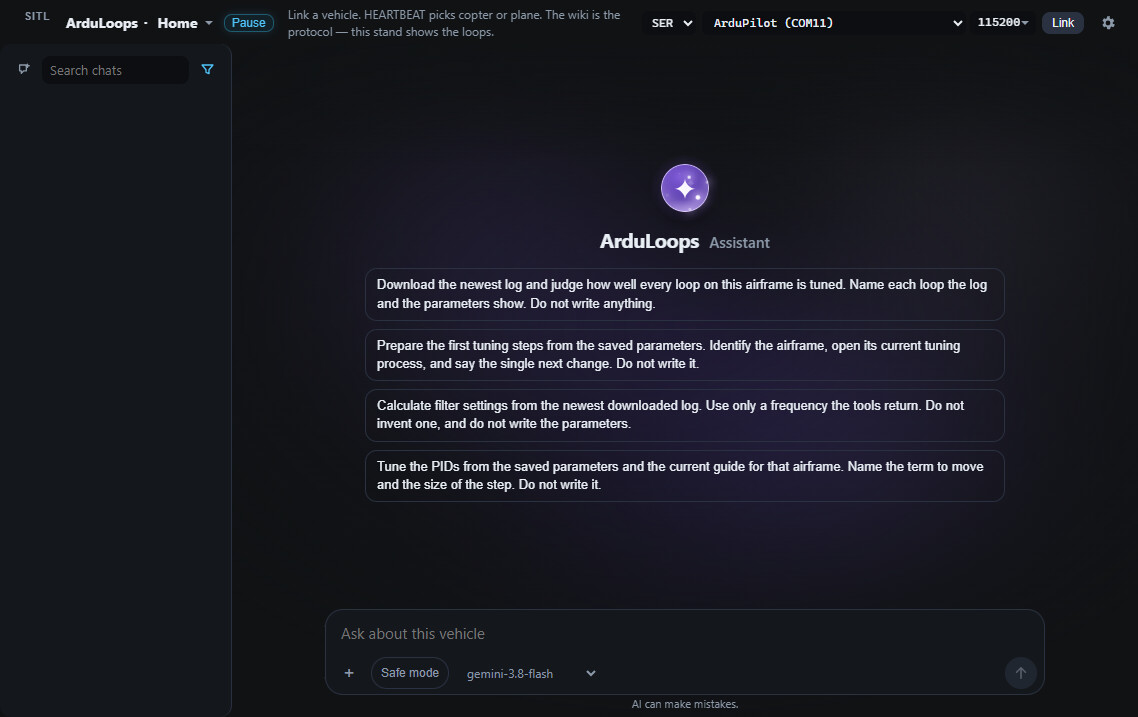
Before you type, it offers example jobs:
- Download the newest log and judge how well every loop on this airframe is tuned. Name each loop the log and the parameters show.
- From the saved parameters, identify the airframe, open its current tuning process, and say the single next change.
- Calculate filter settings from the newest downloaded log. Use only a frequency the tools return.
- Name the PID term to move, and the size of the step.
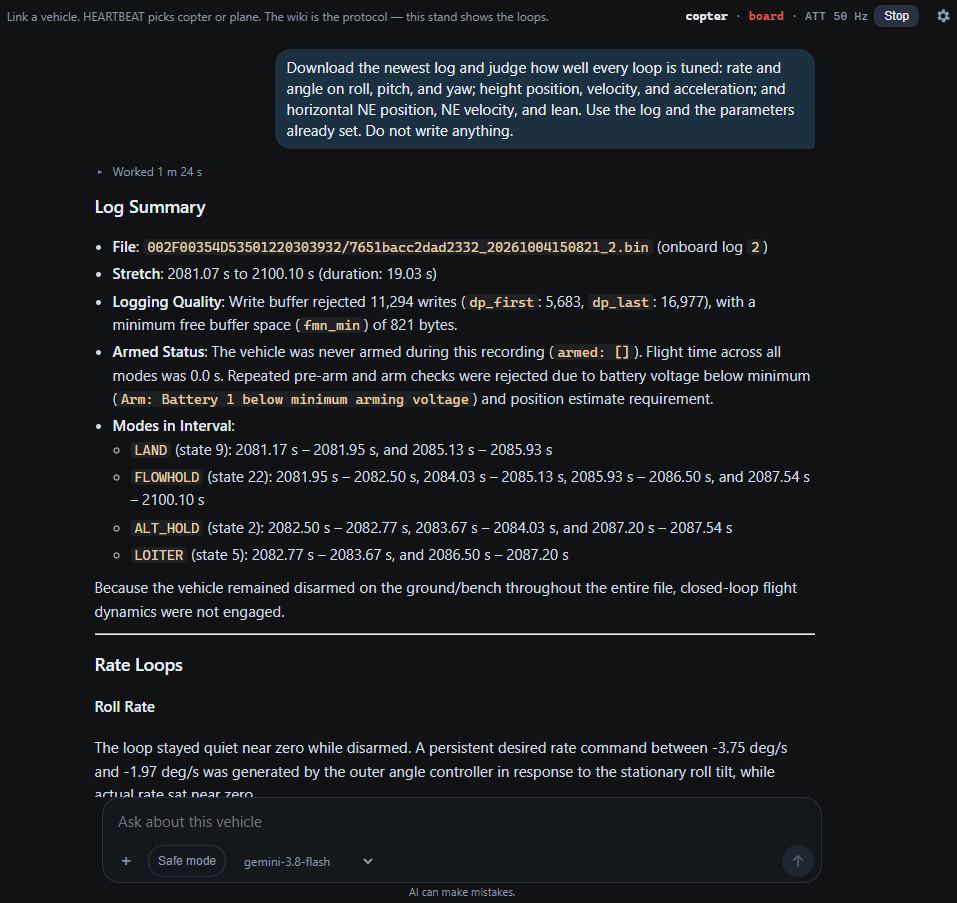
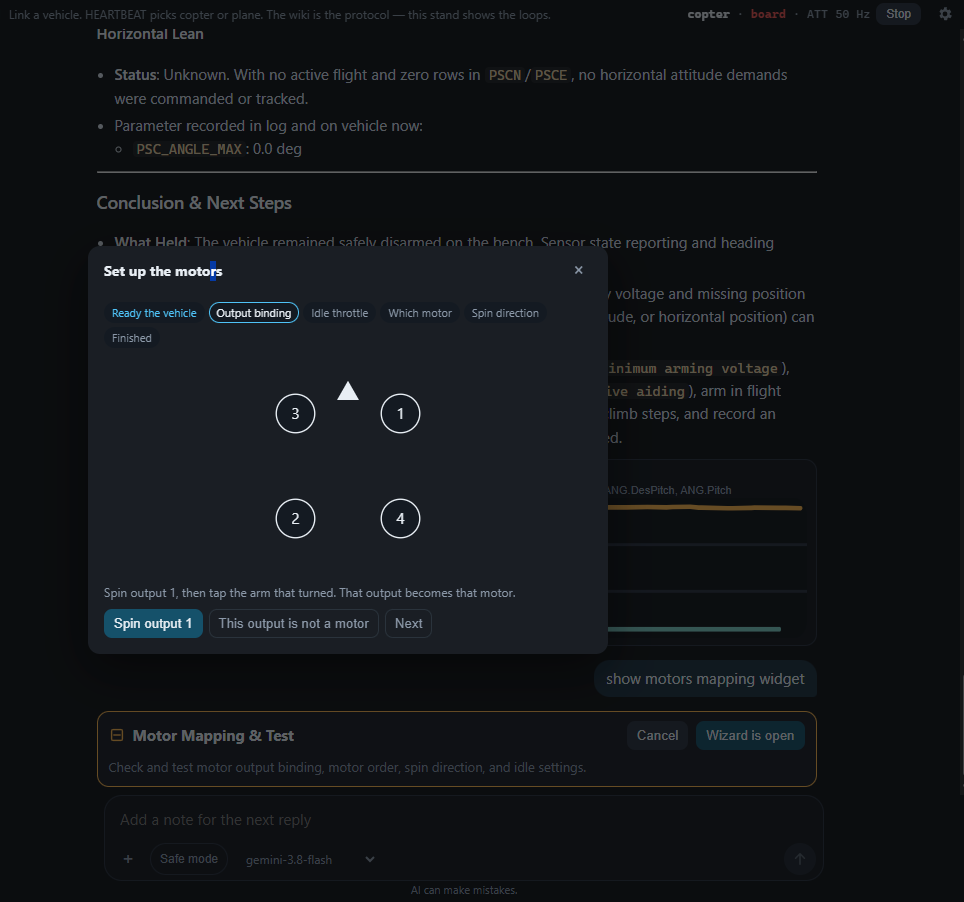
If the next step is a calibration rather than a number, it can hand you a wizard. You open it, and you run it. Some of them I want eyes on.
Motors. The picture is the frame already on the vehicle. The numbers are the motors. The setup spins each output, and you tap the arm that turned. If the outputs already match the frame, it says so and does not pretend there is work left. You can ask the Assistant to show the widget explicitly, or it can suggest doing it if motors are not set.
Compass. Stored offsets are the last calibration: offset, length, diagonals, off-diagonals, the live field, and the EKF compass variance. Start runs a new one. You turn the vehicle until every compass fills. Motor-current compensation is a separate step.

The same card can also open the accelerometer, motor-current compensation, the radio ends, the flight-mode switch, or the battery. I am less sure those screens are right. Motors and compass are the ones I want read first.
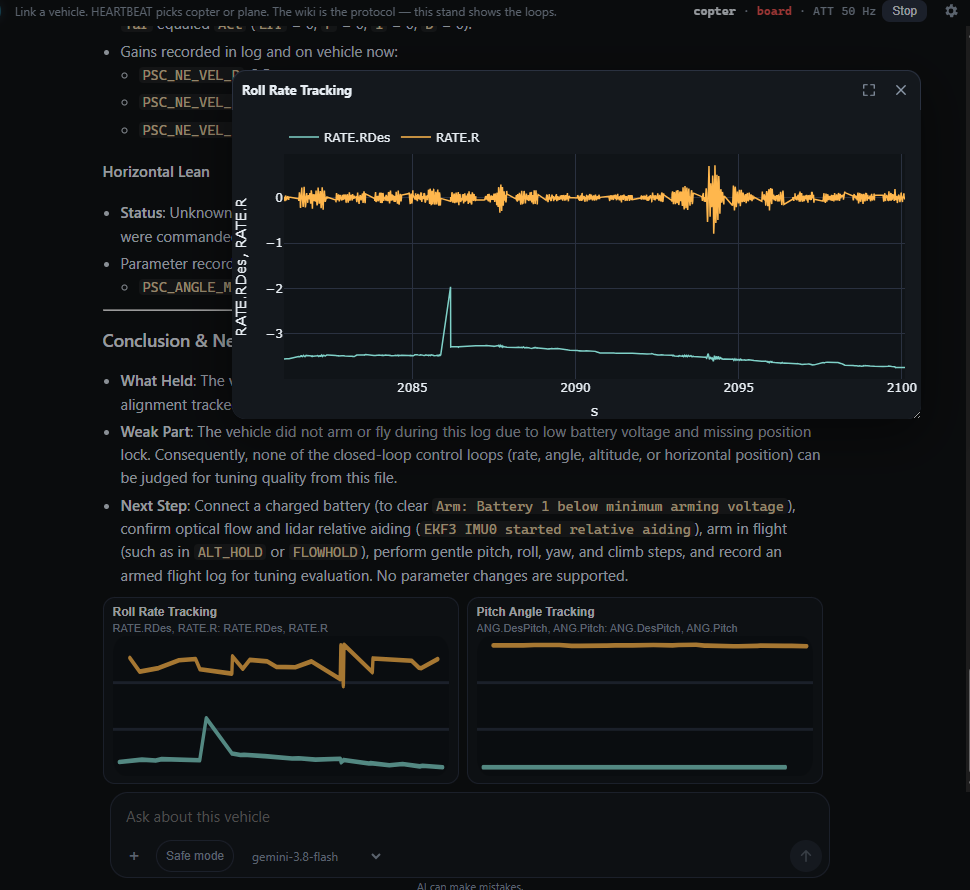
You can also ask it to draw. For a downloaded log it puts the chart under the reply: the lines that measurement used, with the log field on the axis. For the live link it opens one window of the fields that are actually arriving, or of a parameter on this vehicle. A name that is neither is not drawn. The live window is about the last minute.
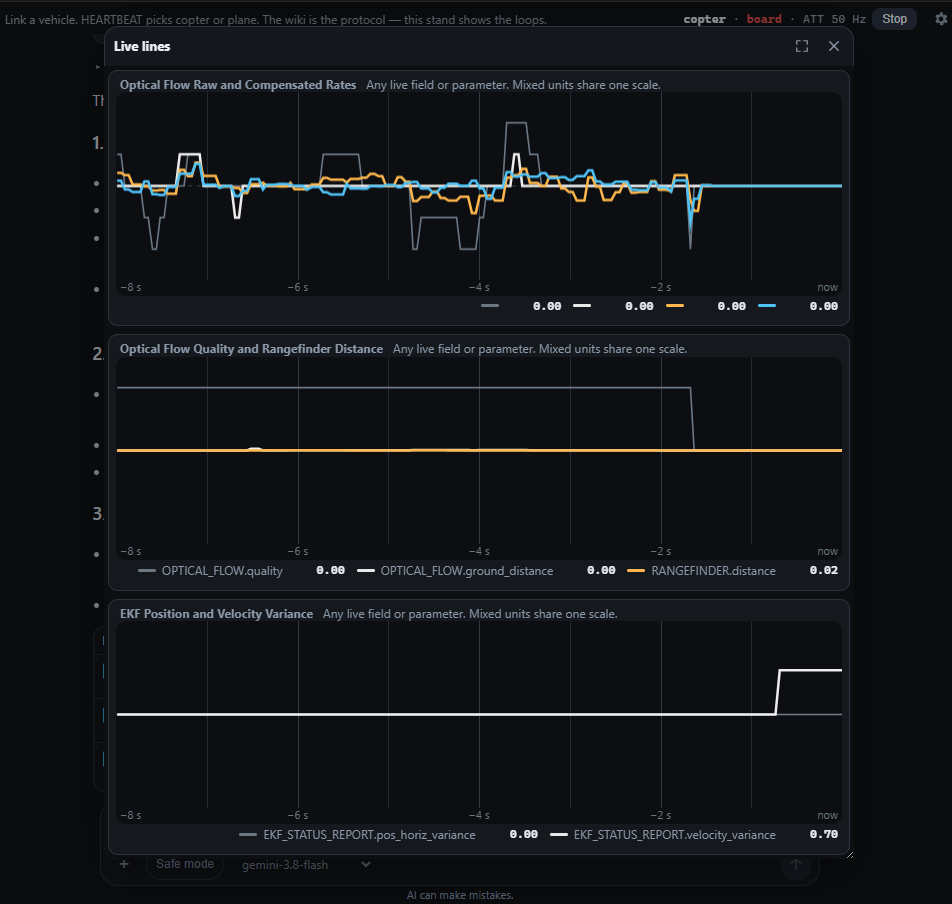
When a fact about this airframe is not a parameter, it can ask you to say it and keep it. The usual missing ones are the span, the mass, and the propeller size. It asks only for the ones that are not already in the note and that you have not just said. The note is local to this controller. It is not a parameter and not a log.
It can order a custom build on the official server, custom.ardupilot.org. It reads that catalog for the vehicle, the version, the board, and the features. When you ask it to build, it queues the plan and waits until the build finishes. The download stores the image in the firmware library. A download is not a flash.
A flash is a separate step, over USB, and only while the vehicle is disarmed. Outside safe mode it stops on a card, and nothing is written until you approve it. The phone build has no USB bootloader port, so it cannot flash. A finished flash is not a flight test.
There is a great deal more than the pieces above. Those are only a small part of what it will do. Ask it in ordinary language about any part of setting up ArduPilot. Describe how the vehicle behaves now, and ask it to improve that. I have found it absorbing, and effective.
The loops page did not go away. Map on the left, the selected block as a scheme, traces underneath. Dimmed blocks are not closed in this mode.
Installers are ArduLoops 2.0.0. Windows, Linux, and macOS. SITL in the header, or Link a board. Android is a link client. Source is still npm install && npm run dev.
I would like the same kind of correction as last time.
- For a first flight: is that setup order missing a step, or is a step in the wrong place?
- For someone who already tunes: is “name the loop, name the term, do not write” a useful first reply, or should the proposal come sooner?
Thanks in advance for any ideas or suggestions!